Batch
Creates sequences of messages based on various rules.
Where and why do we use the Batch node?
The Batch node groups sequences of messages into batches. It's useful when you need to collect multiple messages before processing them together, create time-windowed data collections, or reorganize message flows by topic.
Modes of operation
The Batch node operates in three different modes, each suited for different use cases.
Group by Number of Messages
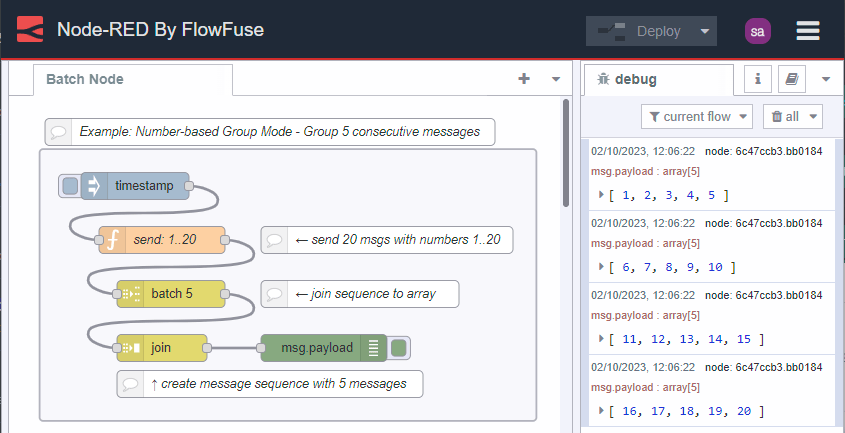
Groups messages into sequences of a given length. Set the batch size to 5 and the first 5 messages form one batch, the next 5 form another batch, and so on.
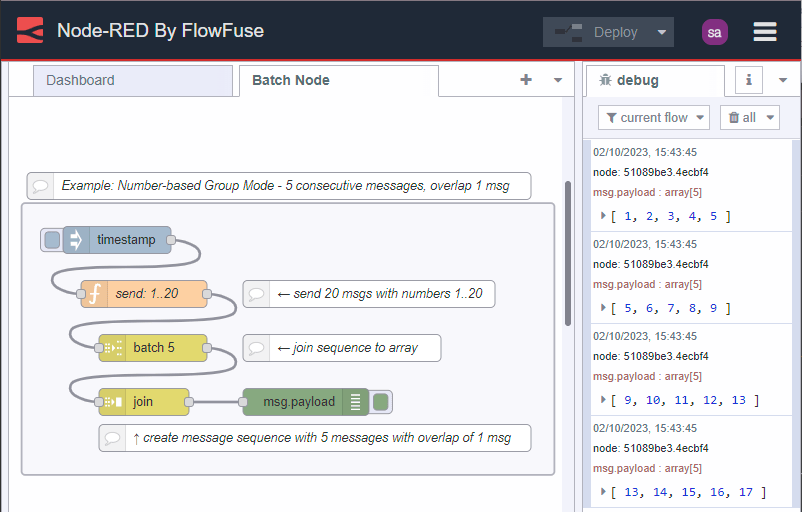
The overlap option lets you repeat messages between batches. When enabled, messages at the end of one sequence appear at the start of the next. With a batch size of 5 and overlap of 1, you get sequences like 1-5, then 5-9, then 9-13. This creates a sliding window effect that's useful for analysis requiring context from previous data.
Group by Time Interval
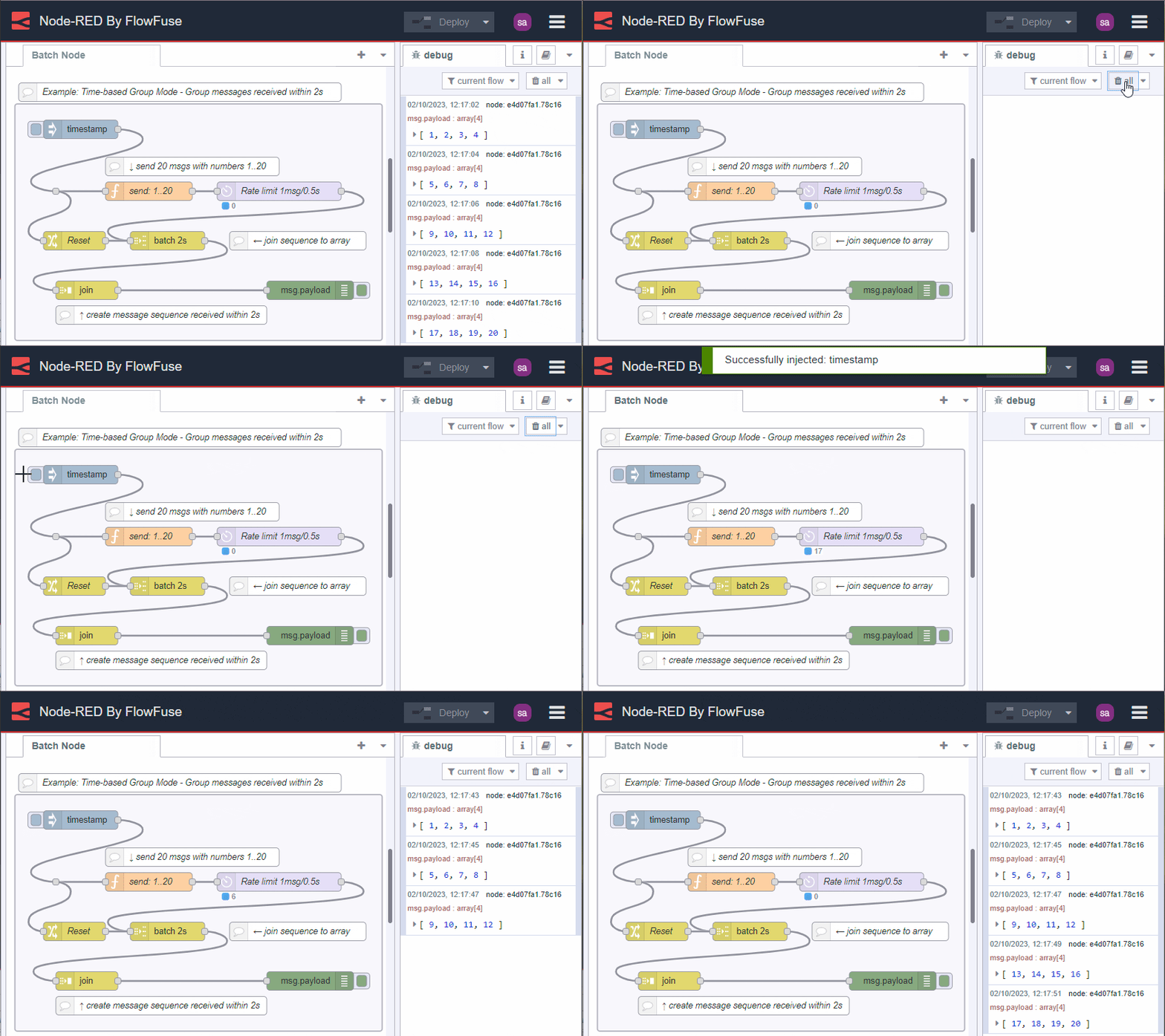
Groups all messages that arrive within a specified time period. Set it to 2 seconds and every message received in that window gets batched together. When the interval expires, the batch releases and a new window starts. You can optionally configure the node to send an empty message if nothing arrives within the interval.
Concatenate Sequences
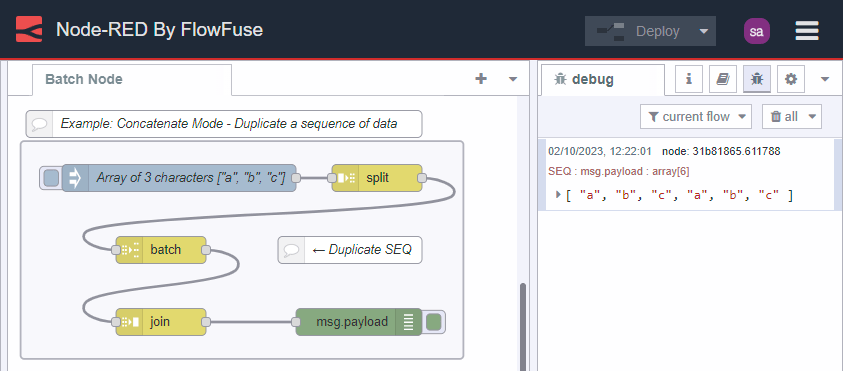
Creates a new message sequence by combining incoming sequences in a specified order. Each incoming message must have both a msg.topic property and a msg.parts property that identifies its sequence. You configure the node with a list of topic values to control the order sequences get concatenated.
This mode lets you duplicate sequences for parallel processing or reorder them by topic. For example, you could filter an array of numbers into positive and negative values, assign each group a different topic, then concatenate them in whichever order you need.
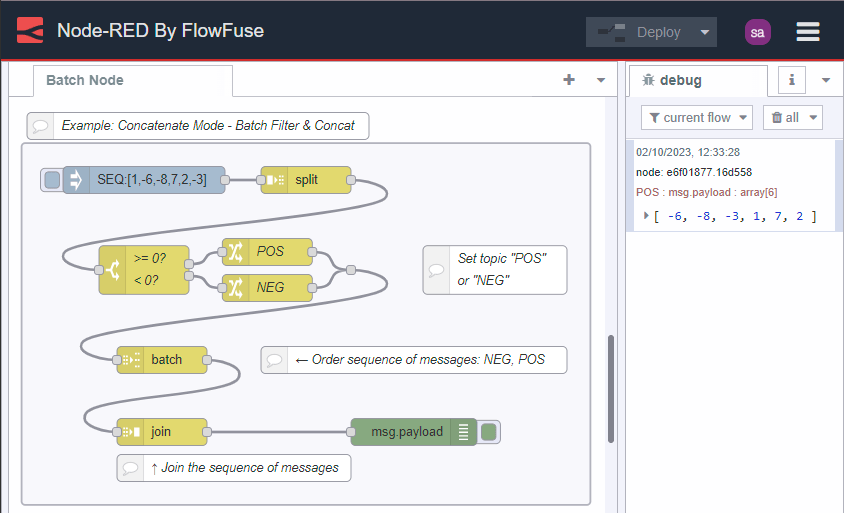
How the node handles messages
The Batch node buffers messages internally to work across sequences. The Node-RED runtime setting nodeMessageBufferMaxLength limits how many messages can be buffered to prevent memory issues.
If you send a message with the msg.reset property set to true, the node immediately deletes all buffered messages without sending them. This is useful when you need to start fresh or handle error conditions.
Demo flows
Node Documentation
Creates sequences of messages based on various rules.
Details
There are three modes for creating message sequences:
- Number of messages
- groups messages into sequences of a given length. The overlap option specifies how many messages at the end of one sequence should be repeated at the start of the next sequence.
- Time interval
- groups messages that arrive within the specified interval. If no messages arrive within the interval, the node can optionally send on an empty message.
- Concatenate Sequences
- creates a message sequence by concatenating incoming sequences. Each message must have a
msg.topicproperty and amsg.partsproperty identifying its sequence. The node is configured with a list oftopicvalues to identify the order sequences are concatenated.
Storing messages
This node will buffer messages internally in order to work across sequences. The runtime setting nodeMessageBufferMaxLength can be used to limit how many messages nodes will buffer.
If a message is received with the msg.reset property set, the buffered messages are deleted and not sent.