Packaging Subflows as Custom Nodes
FlowFuse can package a Node-RED subflow as an installable Node-RED node and publish it to your Team's Custom Nodes library. This lets you maintain a reusable block of logic or UI in one place and pull it into other instances like any other node, instead of copying flows between projects.
Requirements
- A Hosted Instance running the latest Node-RED version on FlowFuse v2.21.0 or later
- The Shared Team Library feature enabled for the Team
Packaging a subflow
- In the Hosted Instance's Node-RED editor, build your flow and convert it to a subflow.
- Open the Subflow exporter sidebar and select that subflow.
- Fill out the package details — the node's name and version — and hit Publish.
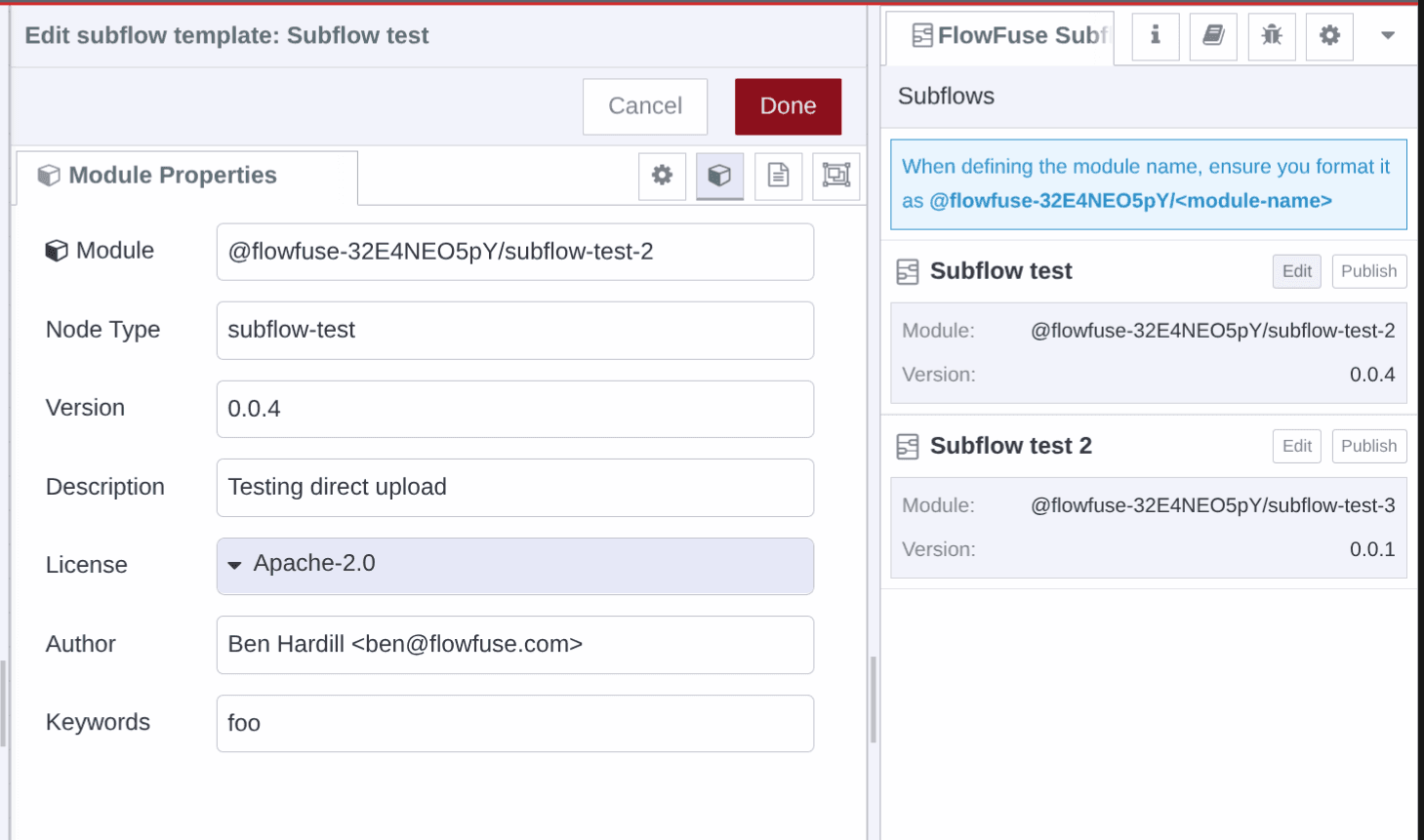 The Subflow export sidebar in the Node-RED editor
FlowFuse builds the subflow into a Node-RED node and publishes it to your Team's Custom Nodes registry, alongside any nodes published as Custom Node Packages.
Name and version matter
The package details you enter are what the Team installs and updates against, so they aren't throwaway:
- Name — becomes the custom node's package name, scoped to your Team (e.g.
@flowfuse-<team id>/<node-name>; the correct prefix is shown in the FlowFuse application). Keep it stable — republishing under the same name updates that node everywhere it's installed, while a different name creates a separate node. - Version — bump it every time you republish. Instances see the new version in the Team Library catalogue and can update to it. This is the low-code version control for your custom nodes — no npm or Git to manage yourself.
Installing the packaged node
The packaged subflow is added to the catalogue generated by your Shared Team Library. To use it in any other Node-RED instance in the Team — Hosted or Remote:
- Open Manage palette in the Node-RED editor.
- Find the packaged node in the catalogue and install it, just like any other node.
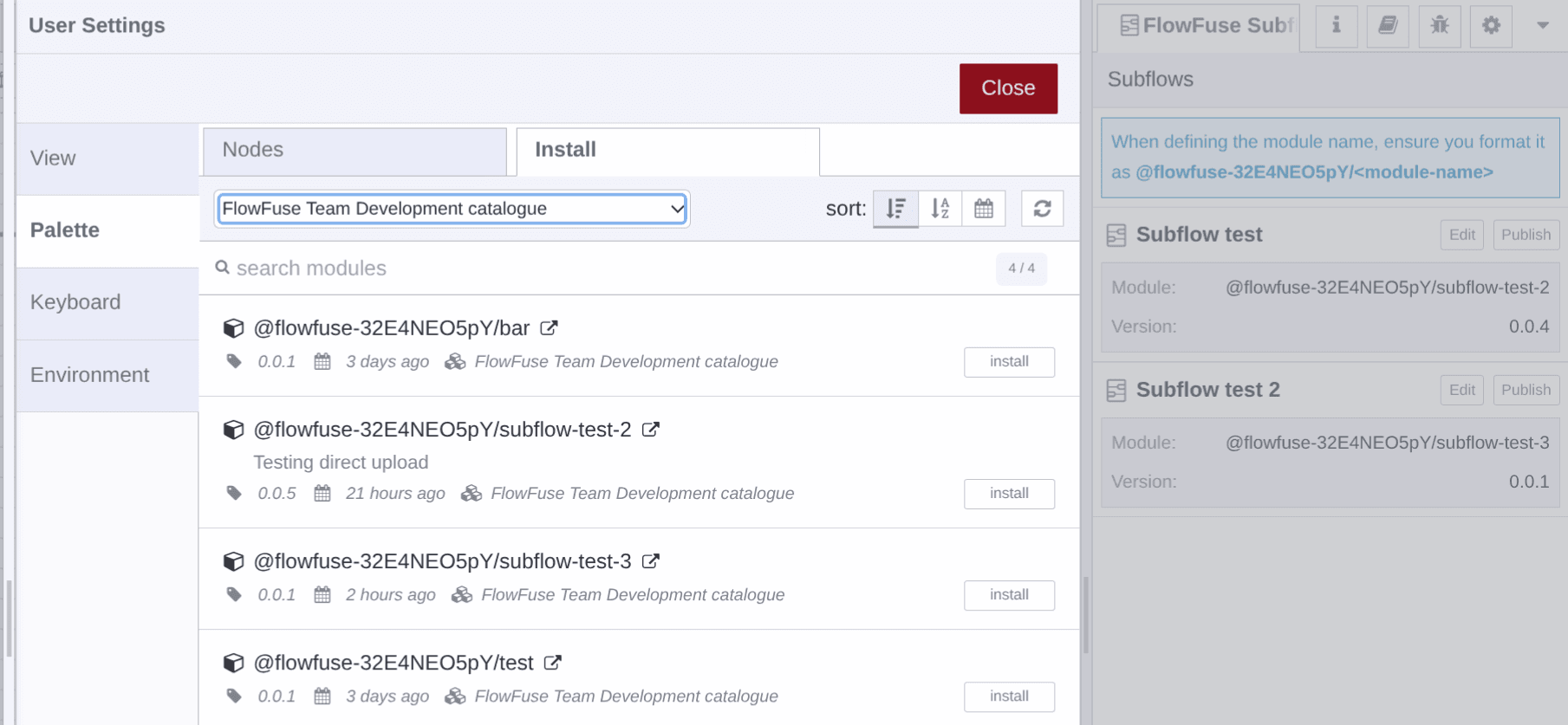 Packaged subflows appear in Manage palette, ready to install
Because every instance installs from the same catalogue, you update the subflow in one place and re-publish, rather than editing copies across projects.
Related
- Custom Node Packages — publishing custom npm nodes to your Team's registry
- Shared Team Library — how the Team Library and its catalogue work
- Subflows — the Node-RED concept