Automotive ERP: Integrating with Shop-Floor Systems

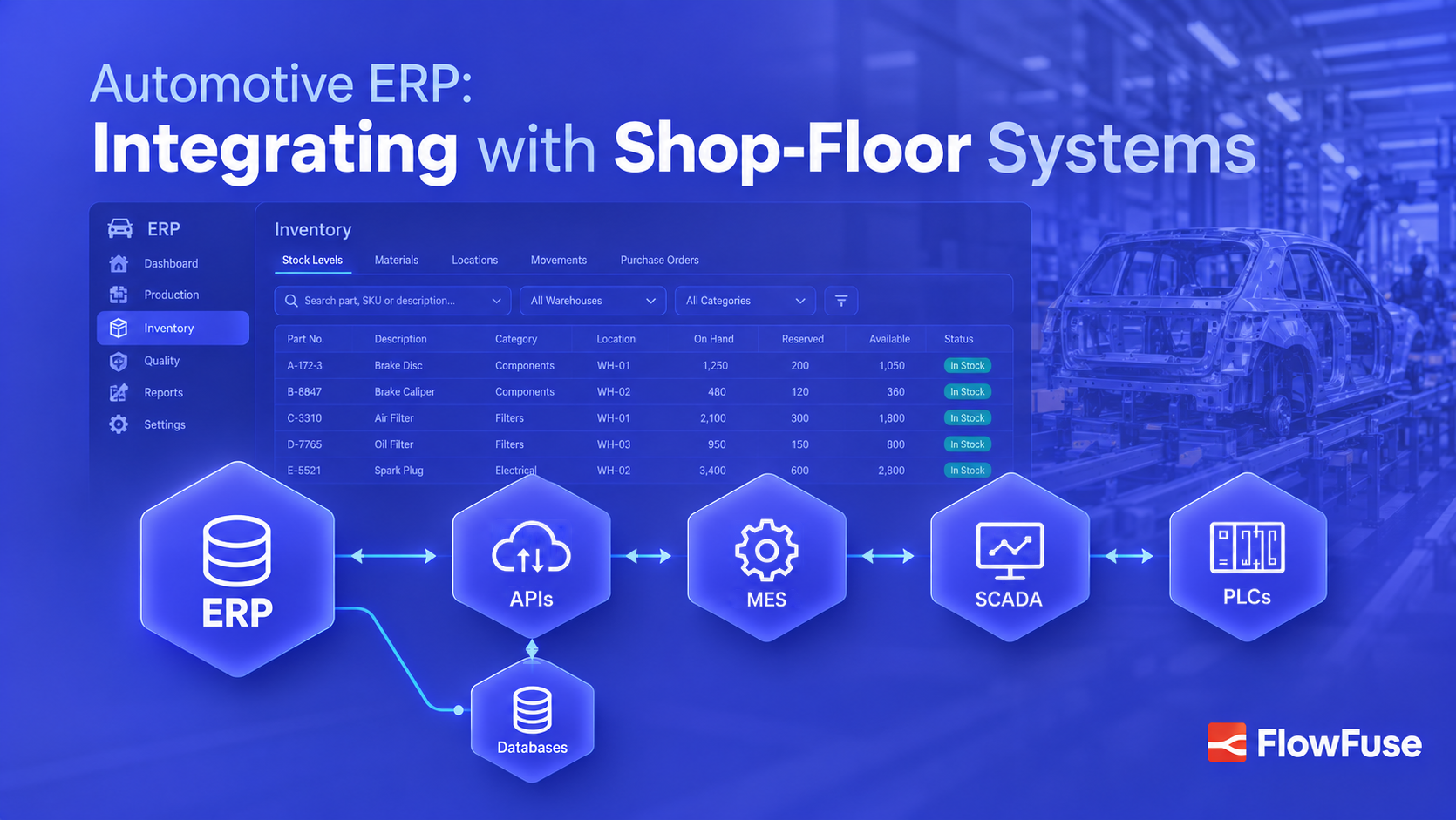
- Automotive ERP is an ERP system configured for automotive manufacturing processes, not a separate category of ERP software.
- ERP manages business processes such as production orders, inventory, purchasing, and cost, while shop-floor systems capture production execution and equipment events.
- When production transactions reach ERP late or without context, inventory, production reporting, cost, and traceability can become unreliable.
- An integration layer connects mixed plant systems, transforms data between interfaces, and delivers the production transactions each system needs.
Automotive ERP is an ERP system configured for automotive manufacturing processes, not a separate category of ERP software. The core ERP capabilities remain the same, but the system is configured to support processes such as production, material consumption, inventory, traceability, and quality.
ERP depends on information from the systems running production. MES, PLCs, SCADA, and other shop-floor systems capture what happens on the line, while ERP manages the business processes around it. When these systems aren't connected, production data can reach ERP late or without the context it needs.
Automotive ERP integration connects these systems, ensuring the right production data reaches ERP when it is needed and keeping business and shop-floor information aligned.
How Automotive ERP and the Shop Floor Divide Responsibility
ERP and shop-floor systems work at different levels of the same production process.
ERP is concerned with what the plant needs to produce and account for: production orders, quantities, material requirements, inventory, purchasing, and cost. Shop-floor systems are concerned with how that production happens: which operation ran, which station completed it, which materials were used, and what the equipment reported.
For example, ERP may release an order to build 100 battery packs. MES can coordinate the work, while PLCs capture equipment events and test results. The relevant production confirmation and material consumption can then be sent back to ERP.
When that information doesn't move reliably between the two sides, ERP can end up showing a different picture from what's happening on the line. That is where integration gaps start to affect operations.
Where ERP Integration Gaps Create Problems
The impact depends on which production information is missing or delayed. A few areas show the problem particularly clearly.
Material Consumption
A vehicle consumes seats, ECUs, and battery modules as it moves down the line. If that consumption reaches ERP late, recorded inventory can stop matching what's physically on the floor.
That affects replenishment and planning, especially when components are shared across vehicle programs.
Production Cost
Production data can help explain cost variance, including material consumption, labor, cycle time, scrap, downtime, and rework.
Without the production data behind a variance, ERP can show that costs changed without providing much context for why. Connecting the data to a vehicle, operation, or station gives teams a starting point for investigation.
Lot and Serial Genealogy
The same connection becomes important when something goes wrong with a component. Depending on the plant architecture, ERP may know which lots were issued to a production order, while MES or a traceability system holds the detailed association between those components and an individual vehicle.
Linking component lots and serial numbers to a VIN, operation, and production event gives quality teams the genealogy needed to investigate a defect and identify other vehicles that may be affected.
Production Reporting
Production status is another example. A vehicle can clear several operations before those results reach ERP. If updates are delayed or entered manually, ERP can show a status that was true earlier in the shift rather than what is happening on the line now.
These examples show why the connection matters, but they don't mean every piece of shop-floor data belongs in ERP. The next question is what information should actually cross the boundary.

What Data Moves Between ERP and the Shop Floor
The data exchanged depends on how responsibilities are divided between systems, but the pattern is generally straightforward.
| Direction | Typical Automotive Data |
|---|---|
| ERP to shop floor | Production orders, quantities, schedules, BOMs, routings, material requirements, product information |
| Shop floor to ERP | Production confirmations, component consumption, scrap, rework, vehicle status, relevant lot or serial data |
For example, a final assembly confirmation might carry the work order, VIN, operation, station, quantity, and timestamp. A battery assembly transaction might include the pack serial number, component lots, operation, and test result.
Not all production data belongs in ERP. Raw machine telemetry generally stays in shop-floor systems or a historian, where high-volume equipment data can be processed and stored. ERP receives the transactions it needs to manage the business.
That distinction becomes important in automotive plants, where these transactions often have to cross systems from different vendors and generations of technology.
Connecting Shop-Floor Systems to Automotive ERP
Automotive plants rarely run a single technology stack. The body shop may use one PLC vendor, paint another, and the powertrain line may have equipment installed decades ago. MES, quality systems, and ERP may all come from different suppliers.
These systems don't necessarily use the same protocols or expose data in the same format. Replacing equipment that still works simply to make integration easier is difficult to justify.
An integration layer connects these existing systems by collecting production data, transforming it between interfaces, adding context, and routing it to the systems that need it.
This approach also fits established manufacturing integration models. ISA-95 provides a framework for defining the relationship between enterprise systems such as ERP and manufacturing operations and control systems. A Unified Namespace (UNS) can complement this architecture by providing a shared, event-driven layer for contextualized production data.
For automotive plants with mixed equipment, protocols, and enterprise applications, this provides a way to connect existing systems without requiring the entire technology stack to use one vendor.
FlowFuse provides this integration layer, connecting shop-floor systems with ERP and other enterprise applications through industrial protocols, databases, and APIs. It supports technologies including OPC UA, MQTT, Modbus, and EtherNet/IP.
As these connections expand beyond a single production line, managing them consistently becomes just as important as building them. FlowFuse provides centralized deployment, versioning, and rollback, helping teams manage integrations consistently as the number of connected systems grows.
For a practical example, see our article on integrating shop-floor systems with Odoo ERP.
A Typical Automotive ERP Integration Flow
Consider a vehicle moving through a final assembly station:
- ERP releases the production order with the vehicle and its production requirements.
- MES or another production system provides the station context needed to execute the work.
- The PLC reports the equipment event as the operation runs or completes.
- FlowFuse collects the event, adds or transforms context as needed, and routes it to the target system.
- The relevant production transaction reaches ERP or MES, including information such as the VIN, work order, operation, station, quantity, and timestamp.
The architecture can vary by plant. MES may own the VIN and production context while FlowFuse connects it to the PLCs and ERP. In another setup, FlowFuse may handle more of the transformation and routing.
The important part is that each system receives the information it needs without forcing ERP to process raw machine telemetry or requiring plants to replace systems that already work.
Final Thoughts
Automotive ERP integration keeps business systems aligned with what is happening in production.
When production confirmations, material consumption, quality information, and traceability data move reliably between systems, ERP can connect shop-floor activity with the business processes that depend on accurate production, material, cost, and quality data.
The challenge is connecting systems built for different purposes and using different technologies while preserving the context that makes their data useful.
FlowFuse provides an integration layer for connecting existing industrial systems with ERP and other enterprise applications, allowing plants to build on their existing equipment and software rather than replacing systems simply to make them easier to integrate.
Stop Planning Against Stale ERP Data
See how FlowFuse sends production confirmations, consumption, and genealogy from your PLCs, SCADA, and MES to ERP as they happen, without replacing what already runs your plant.
Frequently Asked Questions
About the Author
Sumit Shinde
Technical Writer
Sumit Shinde is a Technical Writer at FlowFuse specializing in industrial automation and manufacturing. In the past three years, he has built industrial applications and authored more than 100 technical articles covering industrial connectivity, unified data architecture, production metrics, and quality management for modern manufacturing.
Like what you're reading?
Add FlowFuse as a preferred sourceOn the page that opens, check the box next to flowfuse.com to see more of our articles in your Google Search results.
Related Articles:
- A Control Plan Template Your Shop Floor Will Actually Use
- End of Line Testing: Your Final Defense Against Defects
- Quality Assurance vs Quality Control: Fixing the Process or Checking the Product
- Buyer's Guide: How to Evaluate an Edge AI Platform for Industrial Use
- CQI-9 Heat Treat Audit: A Drifting Thermocouple Can Fail the Whole Furnace