Personal Access Tokens now support fine-grained scoping. You can restrict a token to specific teams, limit it to read-only operations, or control whether it carries admin privileges. This is especially useful when handing tokens to AI agents or MCP clients, where you want to limit what the token can reach.
Team scoping
You can now scope a token to one or more teams. A scoped token can only access resources within those teams. If you don't select any teams, the token works across all teams you belong to, same as before.
When you're added to a new team, scoped tokens don't automatically pick it up. You need to explicitly add the new team to any token that should have access.
Read-only mode
A new toggle lets you mark a token as read-only. When enabled, the token can only perform read operations across all resources it has access to. Any write operation will be rejected.
Admin opt-in
Tokens created by admin users no longer carry admin privileges by default. When you create a new token, it behaves as a regular user token, using your team roles instead of full admin access. If you need the token to have admin capabilities, you have to explicitly check the admin opt-in option.
Existing admin-owned tokens have been migrated with admin opt-in enabled, so they continue to work as before. Only newly created tokens default to non-admin.
How scoping works
These options allow you to narrow the scope of a token's permissions; you cannot create a token with more access than your user has.
You can create and manage your tokens under User Settings > Security > Personal Access Tokens.
This feature is available to FlowFuse Cloud users as of now and Self-Hosted users from v2.33.
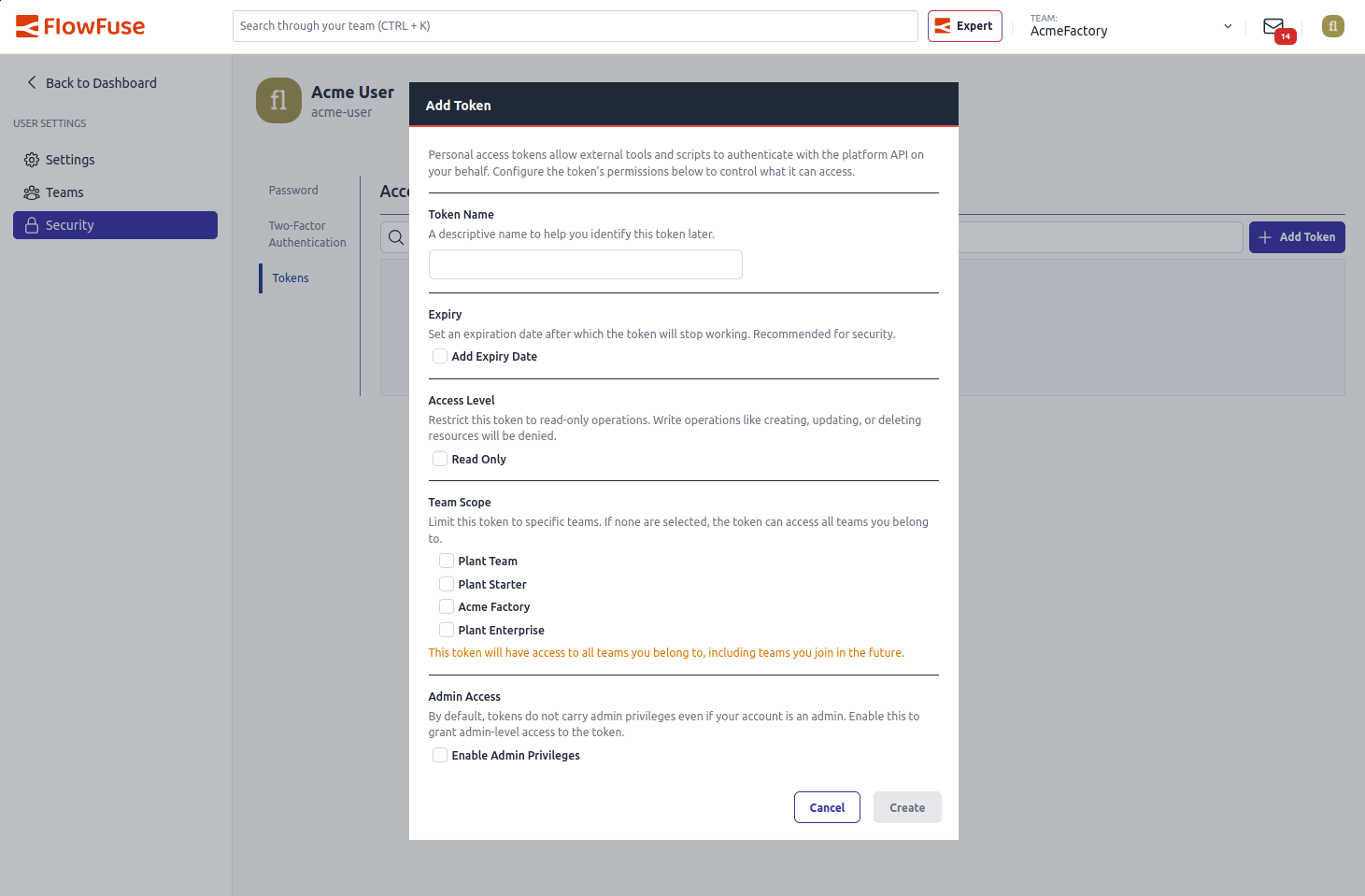 Creating a new scoped Personal Access Token
Written By:
Published on:
Related GitHub Issues
Recent Updates:
- AI Improvements in FlowFuse
- Vue and Vuetify Editing for Templates
- Expert on Your Team Overview
- Tool Permissions for MCP Agents
- Siemens S7 Certified Nodes