Direct SSO Login
As part of FlowFuse release v2.21.0, self hosted Enterprise users will be able to enable direct SSO login from the FlowFuse login page.
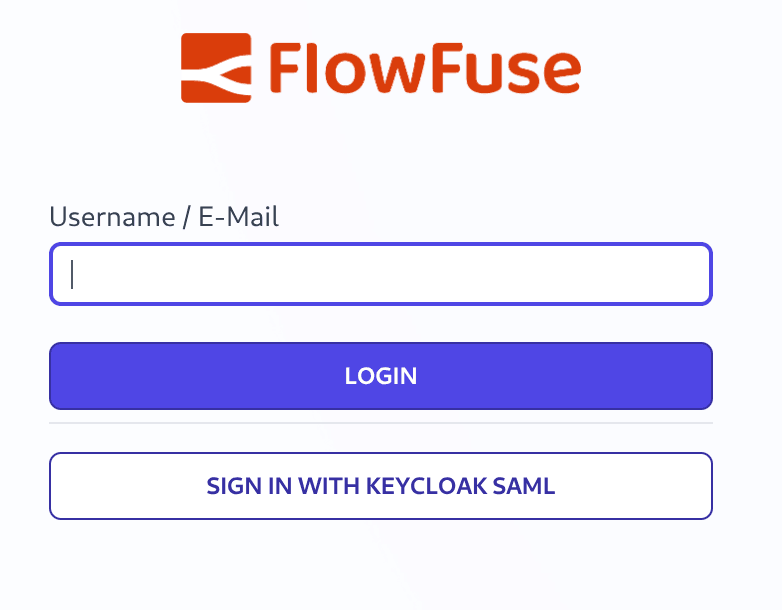 Screenshot of FlowFuse Login Page with SSO Direct Button
This can be enabled from the Admin Settings page. When enabled it will add a button for all SAML SSO configurations to the login page. These buttons bypass the email domain matching that would normally be used to select which SSO provider to use. This can be used when users use the same email domain but need to authenticate with different SSO providers.
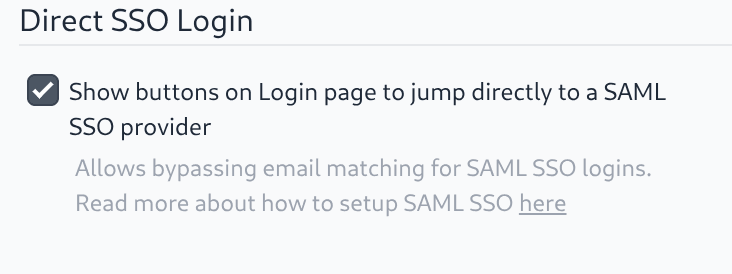 Screenshot of FlowFuse Admin Settings for Direct SSO
Written By:
Senior Software Developer
Published on:
Recent Updates:
- Expert on Your Team Overview
- Tool Permissions for MCP Agents
- Siemens S7 Certified Nodes
- Multiple Groups per Tab in Dashboard
- Control which Teams get Third-Party MCP Access