Developer Mode Now Accessible from the Immersive Editor
Back to the Changelog
The Developer Mode tab is now available directly in the immersive editor drawer when working with remote instances. You can toggle auto snapshot and create snapshots without leaving the editor.
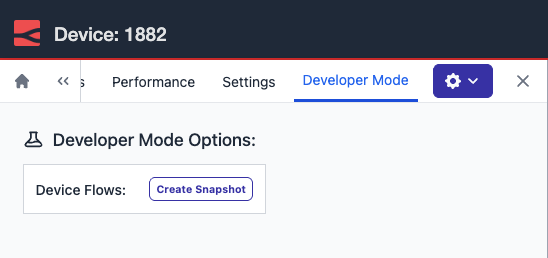 The Developer Mode tab now appears directly in the immersive editor drawer, with options to create a snapshot and manage device flows.
Previously, accessing Developer Mode meant opening a second browser window and navigating to the standalone device view, breaking your flow inside the editor and adding unnecessary friction, especially when working through a staged dev, test, and promote rollout.
This feature is available to Enterprise tier users of FlowFuse Cloud and Enterprise Licensed Self Hosted users from v2.29.
Written By:
Full Stack Developer
Published on:
Related GitHub Issues
Recent Updates:
- Getting started with FlowFuse straight from the terminal
- FlowFuse Expert Can Now Work With Your Tables
- A Dedicated Home for Your Dashboards
- Application Roles from SSO Groups
- FlowFuse Expert Enhancements