FlowFuse Expert can now look up your FlowFuse Tables databases directly. Ask it to list the databases on your team, show you the tables in a database, or describe a table's schema, and it calls the right tools and reports back, without you needing to open the Tables view yourself. It can also preview a table's data: up to 10 rows, exactly as stored.
This is a fixed, read-only preview, not a query engine: there's no filtering, sorting, or paging through it, and no writes. For anything beyond that quick look, the Expert can help you build it as a flow with the tables-query node instead.
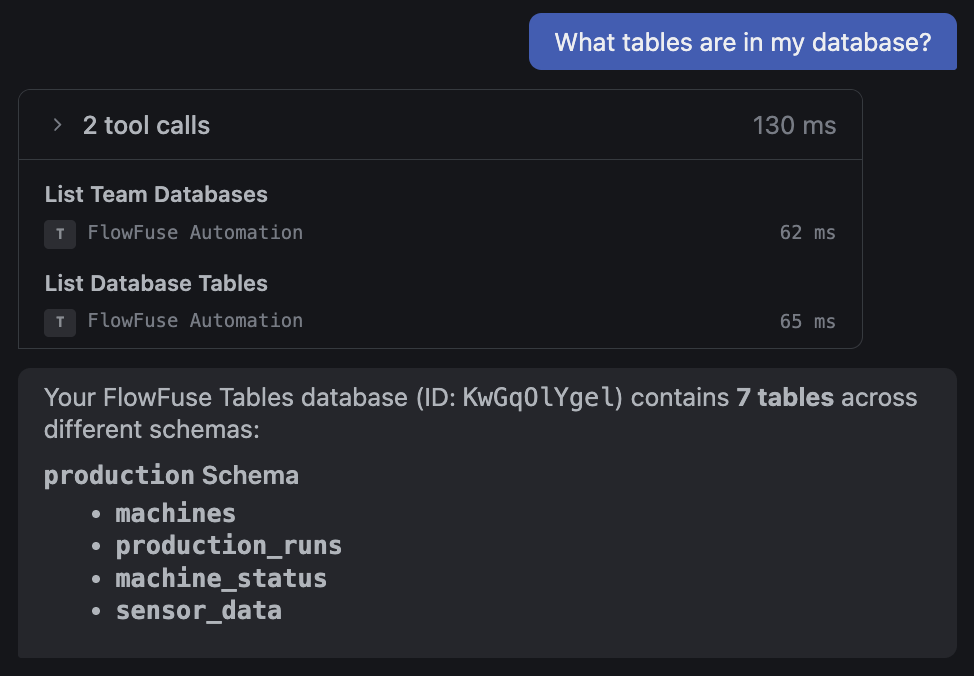 The Expert listing a database's tables, grouped by schema
Alongside this, FlowFuse Tables now correctly supports tables that live in a schema other than public. Previously, viewing data for a table outside the default schema could fail. Tables and their schema now show up correctly throughout the Tables UI: next to each table name in the list, and as schema_name.table_name (with a copy button) in the table detail view.
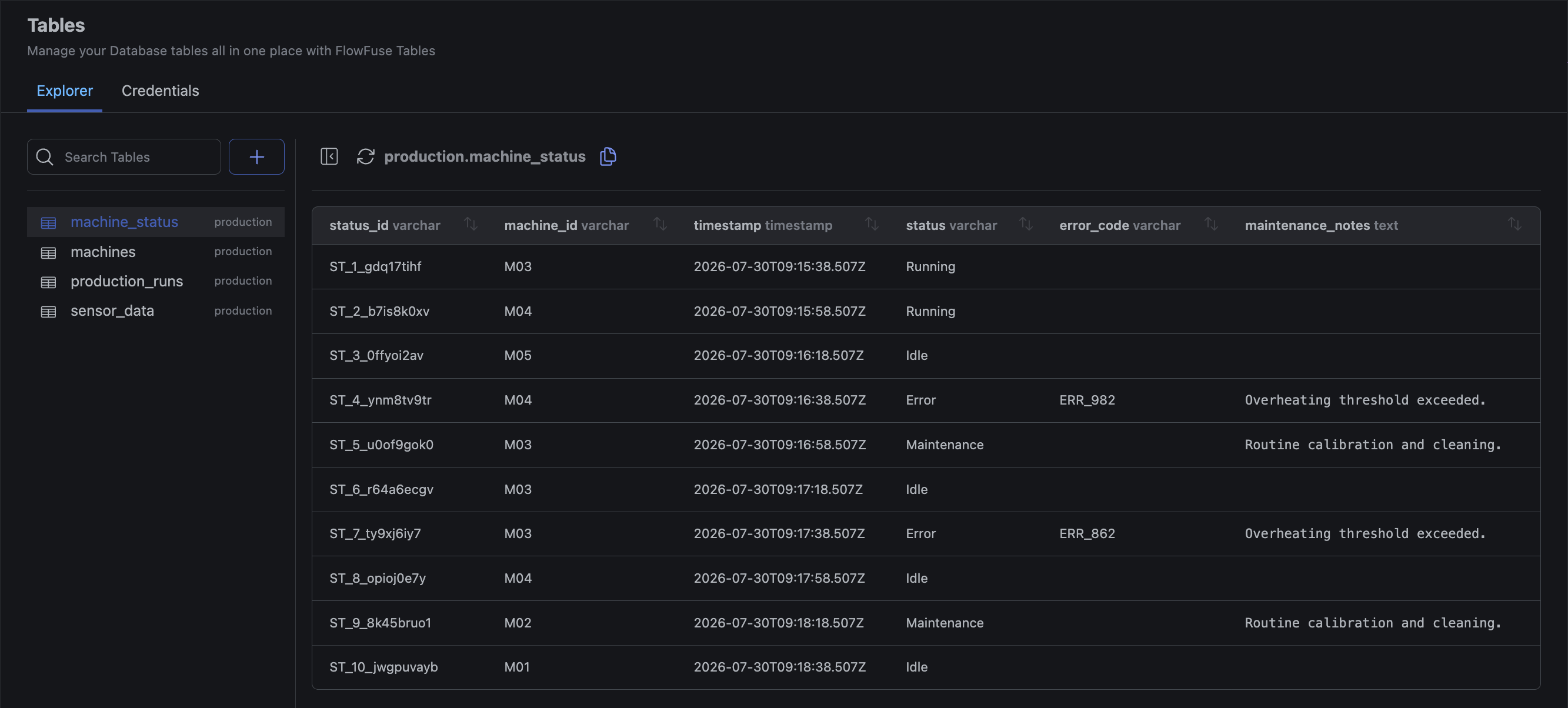 The schema label beside each table name, and the qualified
 schema.table name with a copy button in the header
This feature is available to FlowFuse Hub and FlowFuse Edge customers on Cloud and Self Hosted from v2.33
Written By:
Published on:
Related GitHub Issues
Recent Updates:
- Getting started with FlowFuse straight from the terminal
- A Dedicated Home for Your Dashboards
- Application Roles from SSO Groups
- FlowFuse Expert Enhancements
- Team Scoped Personal Access Tokens