Restoring snapshots to developer-mode Remote Instances
Device Agent version 3.8.0 has been released which brings a significant workflow improvement when editing your flows.
When the ability to remotely edit flows was introduced - known as 'developer mode' - we blocked the ability to push snapshots to a remote instance whilst in this mode. This protection makes sense when you're working on a remote instance, but still need to push updates out to the rest of your fleet through a pipeline deployment - you don't want the deployment from overwriting the work you're in the middle of.
However, there are cases where you want to rollback changes you've been making to a remote instance. Previously that would involve taking the instance out of developer mode, restoring the snapshot, then putting it back into developer mode to continue working. This is a lot of unnecessary steps and not an obvious workflow.
With the new v3.8.0 release of the Device Agent, it is now possible to manually restore snapshots without leaving developer mode:
- Open the Version History tab for the Remote Instance and switch the Snapshots view
- Click on the snapshot you want to use
- Click on the restore button in the snapshot sidebar
The existing protection that blocks pipeline-driven deploys of snapshots is still in place.
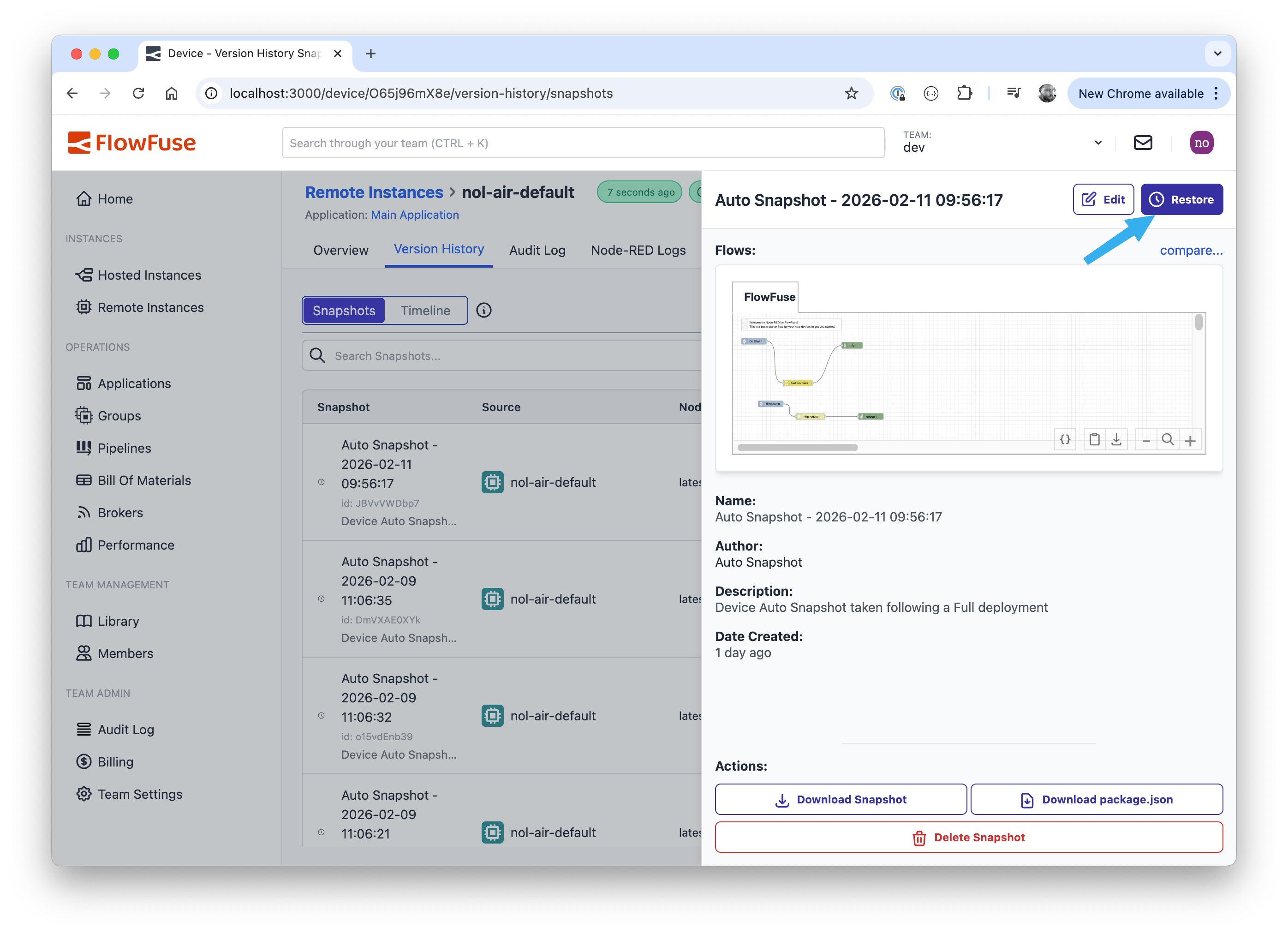 Restoring a snapshot to a Developer-Mode Remote Instance
Written By:
Published on:
Related GitHub Issues
Recent Updates:
- Getting started with FlowFuse straight from the terminal
- FlowFuse Expert Can Now Work With Your Tables
- A Dedicated Home for Your Dashboards
- Application Roles from SSO Groups
- FlowFuse Expert Enhancements