FlowFuse Expert: Helping you make sense of your debug log
As a flow developer, you know how frustrating it can be to have a bug or issue in your flows. You add a ton of debug nodes and add warning alerts to your functions to try and help you track it down. The logs can be a great source of information but you still need to figure out why it is happening! Why am I getting this error? Where did this log come from?
Now, you can ask the Expert!
We have added the ability to include individual log entries and a quick-add selection on the Resource Selector. Adding these logs alongside the related flows can further focus the AI on the issue and help you solve it.
Key Highlights:
- Laser Focus: Select individual log entries to provide specific context.
- Quick Add: Use the Resource Selector button to instantly pull in logs.
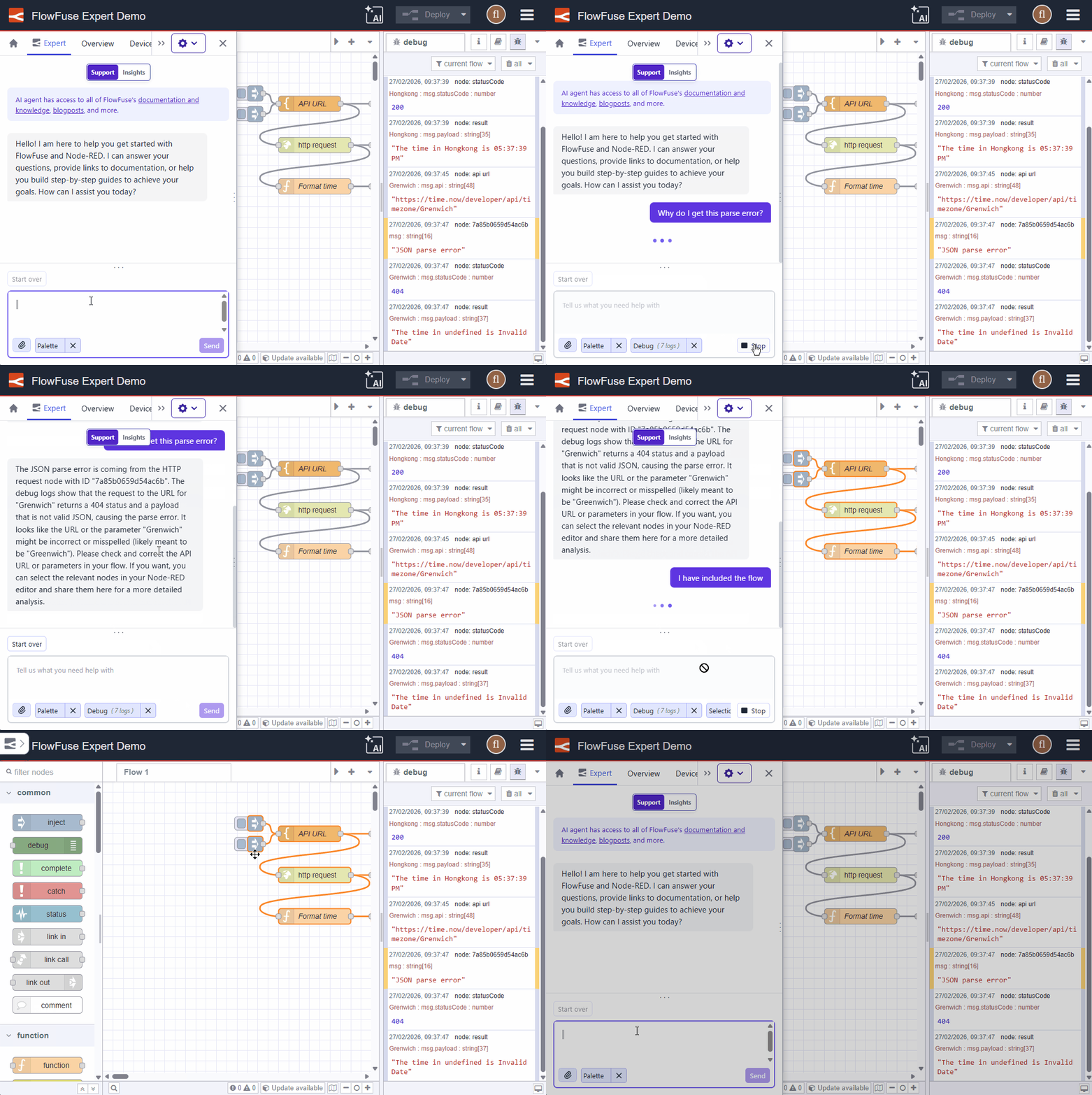 FlowFuse Expert Debug Log Context in Action
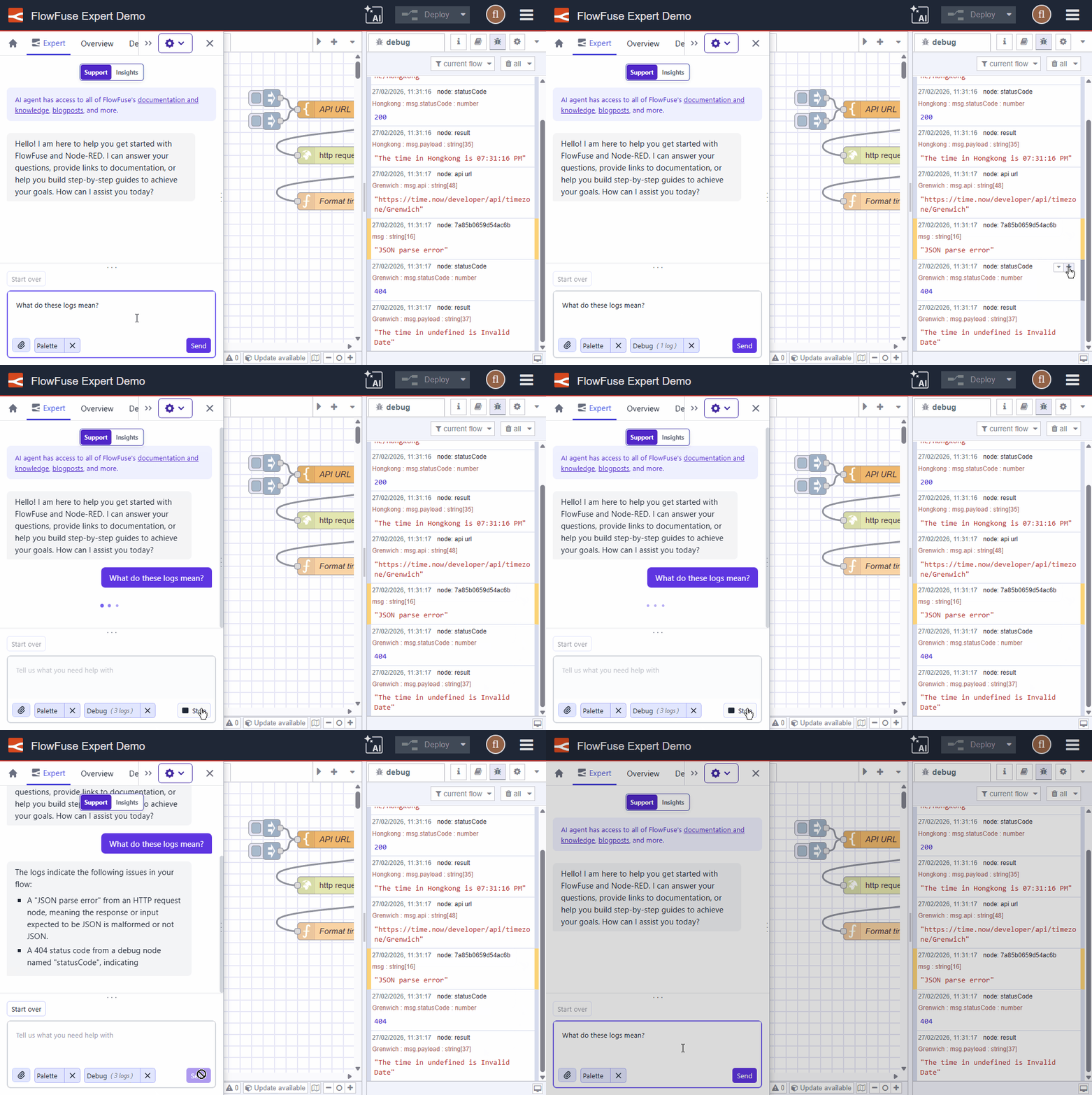 FlowFuse Expert Focused Debug Log Context
We are sure you will love this feature - and there is more to come too!
For more details, see Debug Context.
Written By:
Published on:
Related GitHub Issues
Recent Updates:
- Getting started with FlowFuse straight from the terminal
- FlowFuse Expert Can Now Work With Your Tables
- A Dedicated Home for Your Dashboards
- Application Roles from SSO Groups
- FlowFuse Expert Enhancements