node-red-contrib-device-stats
Node-RED nodes for Device Statistics
Device Statistics Node-RED node


Linux and MacOS only
This node creates statistics information according to the node settings on the editor. The statistics will be embedded into msg.payload and emitted to the output port.
This node emits the statistics information when a msg payload arrives via its input port. Otherwise, the node doesn't do anything.
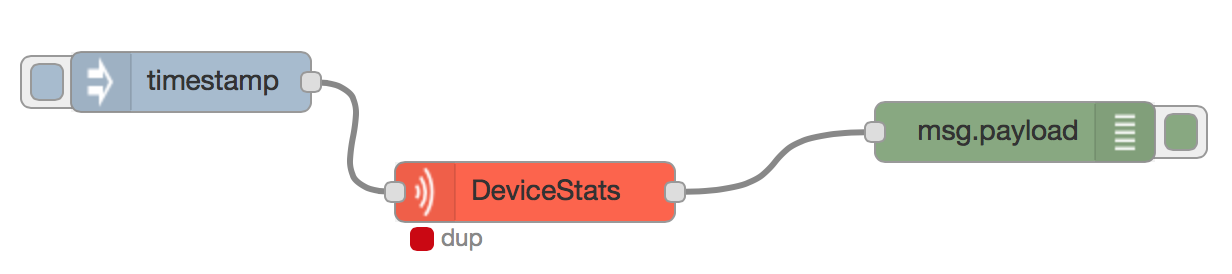
Here is a typical example using this node. This flow will emit the statistics information every 3 seconds.

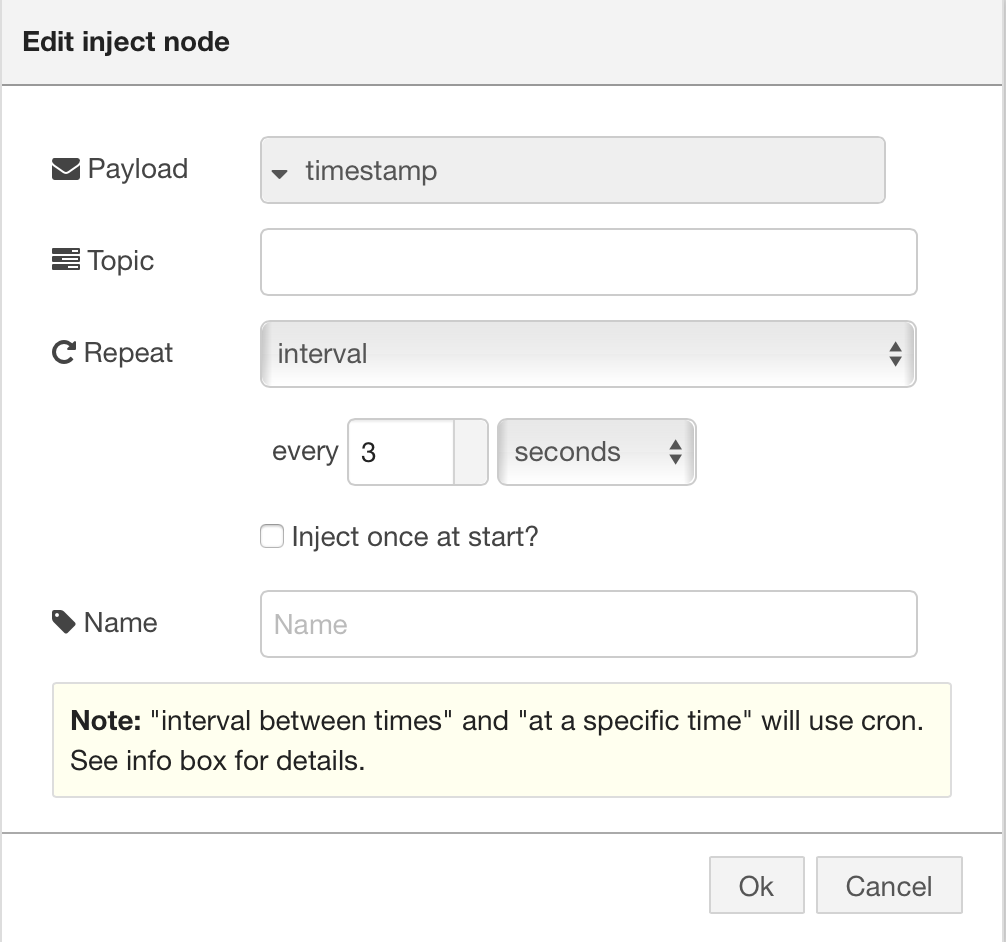
The left Inject node generates a message payload every 3 seconds. Its settings are as follows.
This Device Statistics node doesn't care of the incoming message payload content but just use it as a trigger to emit the statistics information.
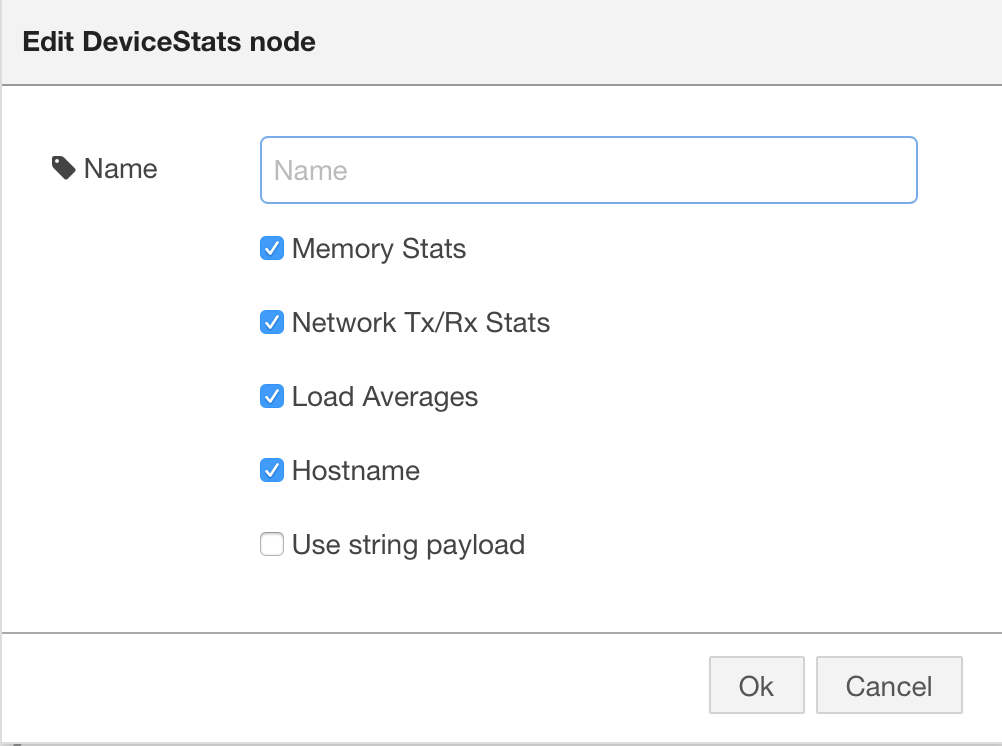
You can configure the content of the statistics information in the following dialog.
When this Device Statistics node emit the stats info, you can see the following status indicator with dup status text.
Installation
cd ~/.node-red
npm install node-red-contrib-device-stats
Prior to building
$ npm install
Build
$ npm run build
will generate ES5 js files.
Test
$ npm run test
Shrinkwrap
$ rm -fr node_modules; \
  rm -f npm-shrinkwrap.json; \
  nodenv local 8.11.1; \
  npm install;npm run freeze
Revision History
-
1.1.2
- Fix an issue where shrinkwrap file contains devDependencies
-
1.1.1
- Fix dependencies
-
1.1.0
- Merge #13 to fix "device stats not working with HTTP" issue
- Replace Grunt with gulp
- Upgrade dependencies
-
1.0.3
- Remove redundant dependency
-
1.0.2
- Fix an issue where message resources aren't shown properly
-
1.0.1
- Fix deployment error
-
1.0.0
- Initial public release
Copyright and License
The project is released under MIT License. See LICENSE for detail.