# Unknown
Represents nodes that are not installed in your Node-RED instance.
## Where and why do we see the Unknown node?
The Unknown node appears automatically when you import flows containing nodes that aren't installed in your current Node-RED instance. You cannot add Unknown nodes manually - they only appear as placeholders for missing node types. This helps you identify which node packages need to be installed before your imported flows can function properly.
## How the node appears
When Node-RED encounters an unrecognized node type during import, it creates an Unknown node placeholder that preserves the original configuration and connections. Once you install the missing package and reload Node-RED, Unknown nodes automatically convert to their proper types with all settings intact.
> Latest versions of Node-RED include package dependency information when exporting flows. When you import these flows, Node-RED automatically detects missing packages and prompts you to install them with a single click, eliminating the need to manually identify and install each required package.
## Identifying required packages
Before importing flows, identify which node packages are installed in your source instance to prepare the target instance with necessary dependencies.
### Using the Palette Manager
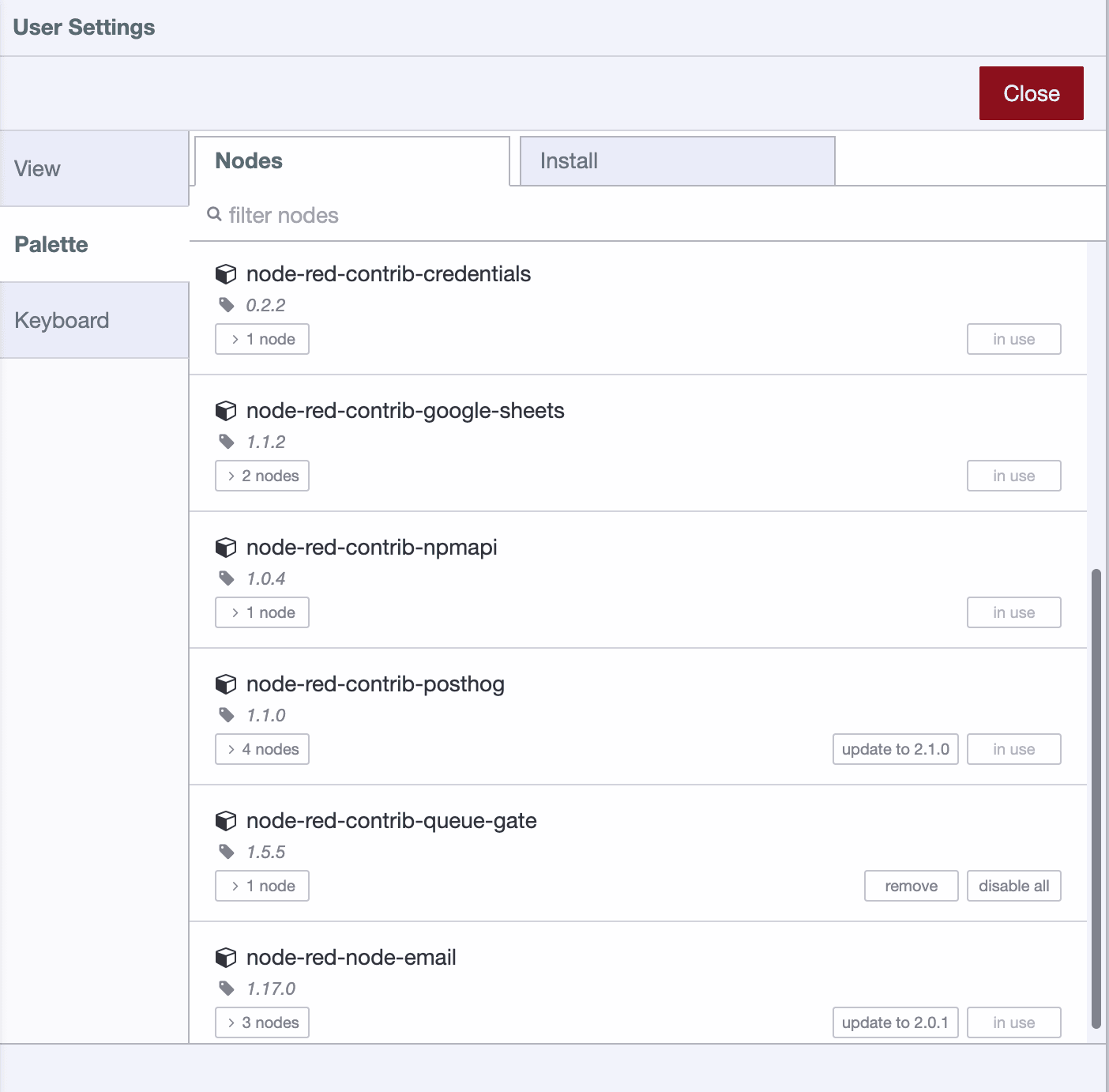
Access the Palette Manager through the Node-RED menu to see all installed packages and their versions.
### Using System Info
The System Info dialog provides a comprehensive list of installed node packages that you can view and copy for documentation.
## Migrating flows to FlowFuse
When migrating flows to FlowFuse, use the [nr-tools plugin](/docs/migration/introduction) for automatic package installation, credential migration, and complete flow transfer. This eliminates manual package identification and installation, making migration faster and less error-prone.